Centralized Management
Access projects, tickets, analytics, and account details in one unified client dashboard.
Client Dashboard & Support Experience
Stay organized, informed, and in control with a centralized client dashboard experience for analytics, monthly reporting, support tickets, and project servicing. This public preview shows how we bring communication, reporting, and operations into one client-facing workflow.
Access projects, tickets, analytics, and account details in one unified client dashboard.
Get immediate visibility into project progress, ticket status, and recent activity as work moves forward.
Track key metrics and performance data to support data-driven decisions across digital initiatives.
Ported from the previous site and re-presented as a dedicated public page, this preview demonstrates ticket support workflows, analytics views, and the broader client portal experience.
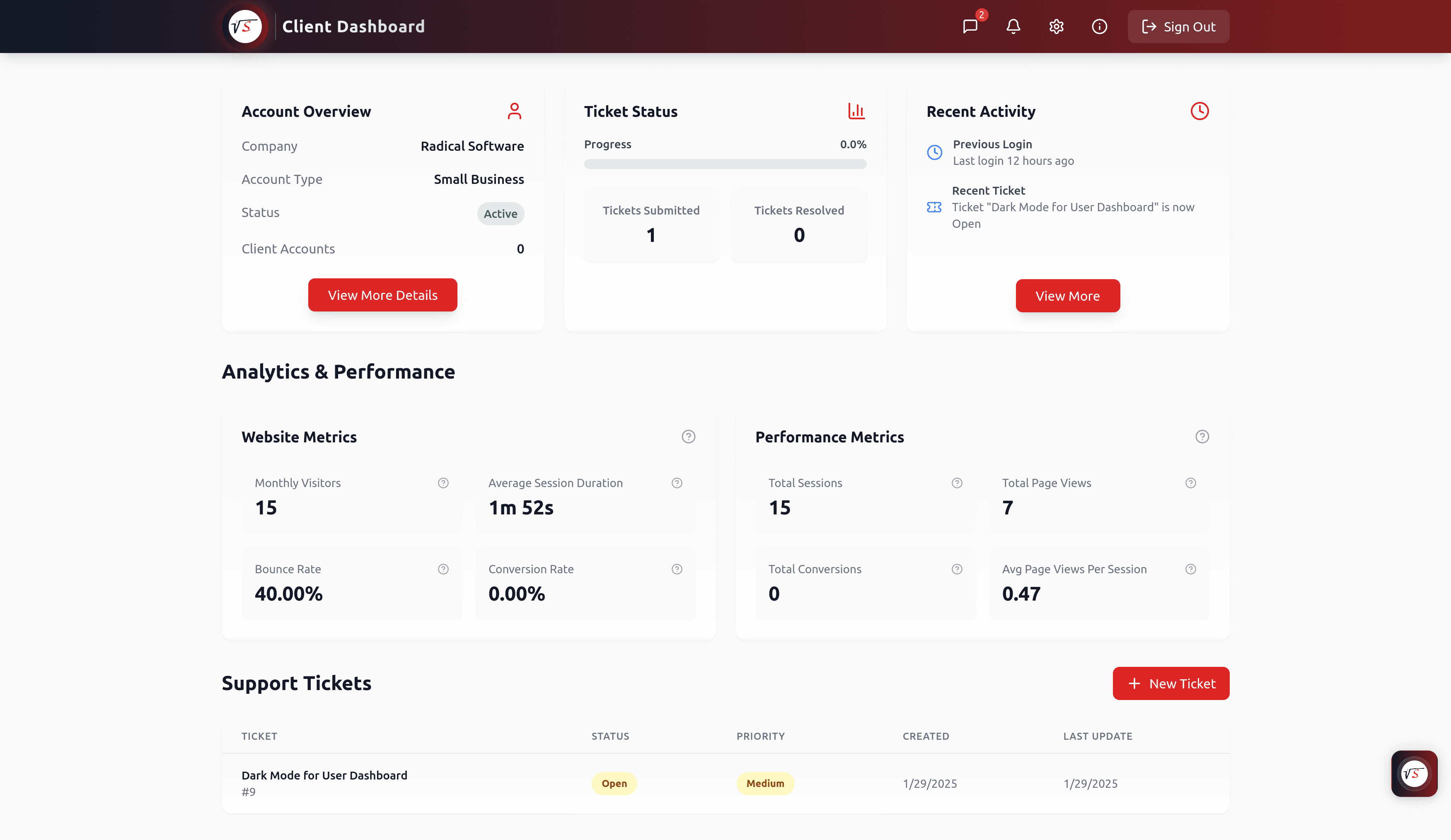
Preview Screen 1
A single workspace for account overview, ticket status, recent activity, analytics snapshots, and support ticket visibility.
Start with a quick scan of core modules, then open details only where needed. This keeps decision-making fast while still surfacing implementation depth.
Monitor website, campaign, or platform activity with structured dashboard views designed for quick visibility and decision-making.
Relevant search topics
Provide recurring client reporting workflows, including monthly and bi-weekly summaries, report downloads, and historical performance review support.
Relevant search topics
Streamline support requests with ticket submission, tracking, priorities, status updates, and servicing workflows in a single client experience.
Relevant search topics
Create organized dashboard experiences for account details, project progress, deliverables, and operational updates.
Relevant search topics
Offer integrated messaging and support communication channels directly inside the dashboard for faster coordination.
Relevant search topics
Extend the dashboard with account access, user management, invoices, and financial information for a more complete client experience.
Relevant search topics
The structure below keeps the experience easy to navigate for clients while giving your team the workflow visibility needed to service accounts effectively.
Communicate seamlessly through an integrated messaging system and receive real-time support updates directly inside the dashboard.
Submit, track, and manage support tickets with status visibility, prioritization, and clearer servicing workflows.
Monitor website, project, or integration activity with detailed logs and analytics to support informed decisions.
Manage accounts, permissions, and multi-project visibility from one centralized client experience.
Access billing information, invoices, and payment details tied to your services without leaving the portal.
Client dashboards pair especially well with custom software and systems integration when visibility, support servicing, and reporting consistency matter.
Step 1
We define what clients need to see, what your team needs to manage, and which systems should feed the dashboard.
Step 2
We scope analytics, monthly reporting, ticket support, dashboards, messaging, and account-management modules based on your service model.
Step 3
We implement the client experience, connect data sources, and validate support/reporting workflows in a real operational context.
Step 4
We support rollout, iterate on feedback, and expand dashboard functionality as your client operations and reporting needs evolve.
Client Experience Upgrade
We can scope a customer dashboard experience that combines analytics, monthly reporting, ticket servicing, and project visibility into one polished client-facing workflow.
Short answers first. Expand any question for fuller context.
Availability depends on the engagement and scope. We can provide a dashboard as part of a broader software solution, or scope dashboard functionality for reporting, support, and ongoing service management.
Yes. We can build or configure reporting workflows for monthly and bi-weekly reporting, including dashboard views and downloadable summaries depending on your needs.
Yes. Ticket support and servicing workflows are a core use case. We can support ticket intake, prioritization, status tracking, updates, and support messaging in a unified client experience.
Yes. The dashboard is most valuable when it reflects your actual workflows. We can tailor modules, metrics, permissions, and views around your services and client operations.
Get In Touch
Whether you have a detailed spec or just the seed of an idea, we'd love to hear about it. Tell us about your project, and we'll get back to you within 24 hours.